Midjourney
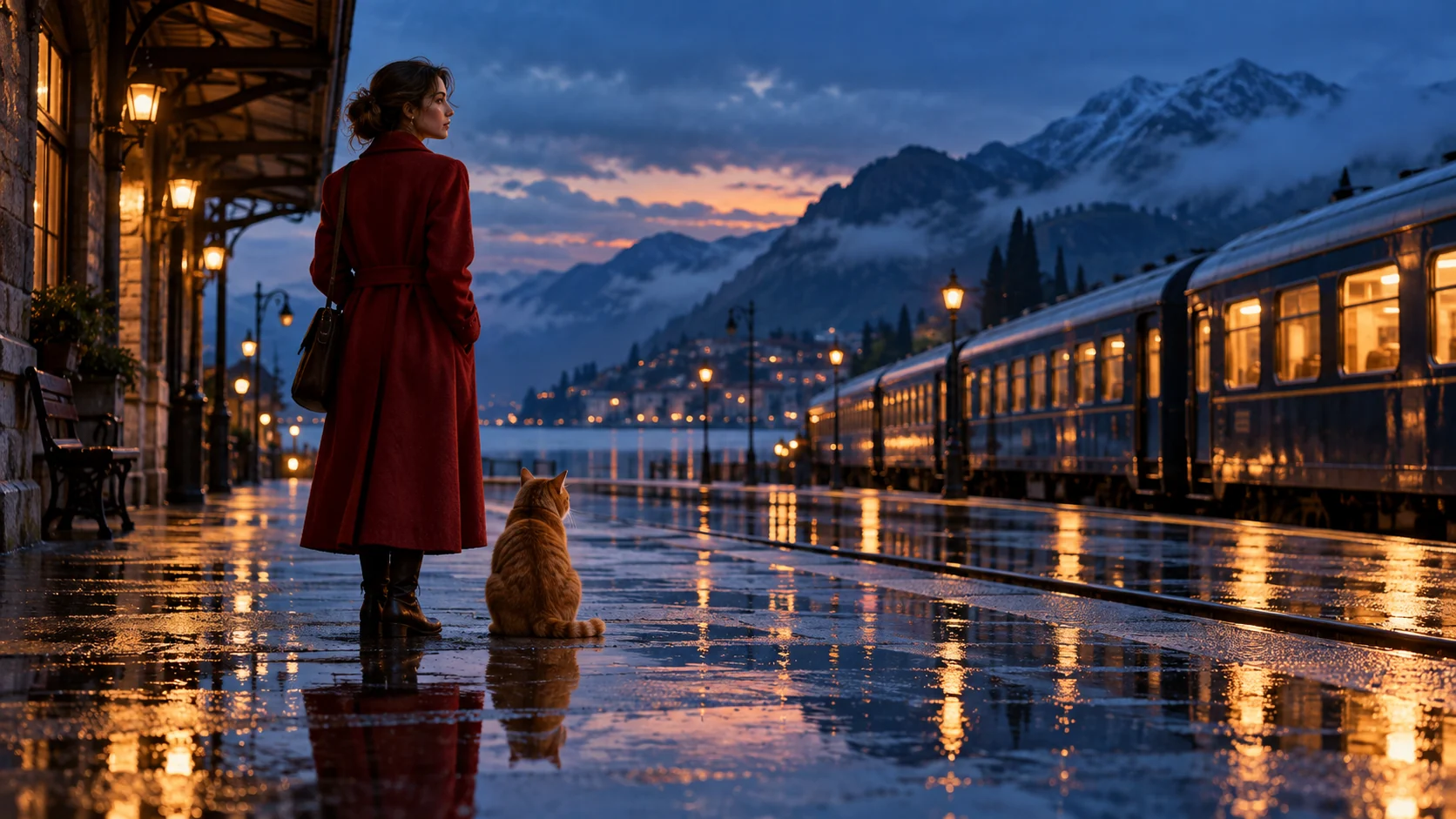
Our shared brief is a woman in a crimson coat with an orange cat at a rain-soaked train platform at blue hour. The goal is to keep that recognizable scene while changing the instructions for a still image, an image edit, or a moving shot. Compare the subject, setting, action, camera, light and what must remain consistent. Promptlyfied writes prompt text; the selected image or video service produces the media.
When to use this workflow
Ask whether you need a fresh image, a controlled edit, or a composition assembled from references. That choice changes the prompt more than an impressive adjective does. A new image needs subject, setting, composition and light; an edit needs a source image plus a precise change and preservation instructions.
Midjourney: direct the scene
Midjourney supports text and image prompts. Use concise visual language to establish the main subject, environment and look. Its aspect-ratio and other parameters use product-specific syntax, so check the official guide rather than assuming prose such as “vertical” sets the exact shape. A reference image can guide the result, but it does not guarantee an identical character.
Example 1: the rainy platform
See how the same rainy train-platform concept changes when the goal is a still image, an edit, or a moving shot.
A woman in a crimson coat waits with an orange cat on a rain-wet train platform at blue hour, warm train lights reflecting in puddles, wide cinematic composition, realistic editorial photography --ar 16:9
Why the prompt is written this way
Describe the finished scene. Use Midjourney’s own parameter syntax for aspect ratio.
Example 2: a different scene
An editorial portrait of a violinist in a midnight-blue coat beneath the glass roof of an old station, instrument case at her feet, warm lamps reflected on wet stone, candid three-quarter view, restrained amber and indigo palette, natural film grain --ar 4:5
How to adapt the second example
This second prompt uses a new subject and composition. Swap the violinist or station for your own idea, then set the aspect ratio in the product’s supported controls.
If the result misses the brief
Use the same subject and output shape when comparing models, then adapt any model-specific parameters. Inspect composition, identity, text rendering and editing precision separately. The most effective wording depends on the source images and model version; a universal “best model” claim would mislead readers.
Start with “Use the attached image as the source.” Follow with one change, preservation constraints, framing, and lighting. Review the first output before adding more detail. Strong prompts describe the target image, not a string of generic quality tags.
Try the matching prompt tool ↗Reviewed 2026-10-12